
Birthday wishes
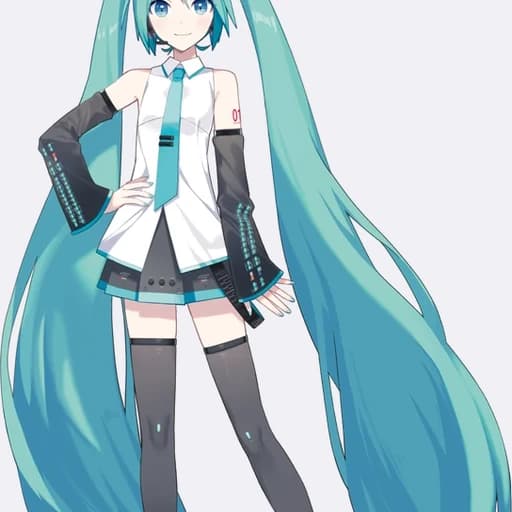
Hatsune Miku
The challenge begins now. Trust your instincts and take the next step.
Loading voice generator
Create Hatsune Miku AI voiceovers for anime, games, fan projects, and character scenes with a reusable text-to-speech workflow.
Try short voiceover ideas and hear how the same voice can fit greetings, intros, announcements, and more
Hatsune Miku
The challenge begins now. Trust your instincts and take the next step.
Hatsune Miku
Stay focused. Every difficult battle is another chance to grow stronger.
Hatsune Miku
A new adventure is waiting just beyond the next turn.
Hatsune Miku
Thank you for joining the journey. The story would not be the same without you.
Hatsune Miku
Welcome back. Today we are exploring the characters and choices behind an unforgettable world.
Hatsune Miku
Courage is not the absence of fear; it is choosing to move forward anyway.
Create a Hatsune Miku AI voiceover in three simple steps
Step 1
Type or paste any text you want Hatsune Miku to speak
Step 2
Click Generate to hear your text brought to life in the selected voice
Step 3
Open the full Text to Speech workspace with Hatsune Miku ready to select
Explore voices across more than 200 languages and accents for ads audiobooks podcasts intimate audio and character content.
Natural emotional voices with precise control of delivery pauses breath and character texture.


Natural conversation and show production
Long-form narration and character performance
Dialogue sound effects and music
Close performance and spatial sound
Character voices and emotional performance
Clear persuasive voiceover

Describe an idea in natural language or upload a novel script or PDF. AhaNow handles adaptation voice generation and mixing.
Upload a clear recording to reproduce tone rhythm and delivery details and quickly create a custom voice for podcasts video and multilingual content.
Describe age accent texture delivery and emotion to generate an auditionable brand or character voice from scratch.
Change pitch age gender and character texture while preserving the original rhythm and emotion for animation games video and interactive content.
Describe a scene mood or purpose to create a soundtrack song or loop.
Describe an action material and space to get auditionable sound effects in seconds.
Search by scene and sound type then preview and add sounds directly to your work.
Dub videos into multiple languages or split finished audio into editable individual tracks.
Upload a video to identify speakers and dub it into multiple languages while preserving each speaker’s delivery rhythm and identity.
Upload a song video or finished mix then separate vocals music and background sound into individual tracks for editing mixing or remixing.
See how creators use the Hatsune Miku style for a virtual concert introduction, virtual-character scripts, and other original projects
★★★★★
“Hatsune Miku's bright and synthetic delivery gives my virtual character opening the energy it needs without extra direction.”
Alex Morgan · Video creator
Answers about creating Hatsune Miku-style virtual character voiceovers for fan videos, concert intros, and digital stories
Write an original script, select the Hatsune Miku voice, and preview the hook or introduction first. Short lines and clear punctuation help the bright synthetic tone stay melodic. This is a fan-creative style reference, not an official performance.
Virtual concert intros, fan animations, game scenes, digital avatars, and colorful social videos can all give this melodic character style a clear role.
Use compact phrases, repeat the key hook carefully, and place pauses where the visual beat changes. Keep lyrics and copyrighted source material within your rights.
Yes. Generate the greeting and hook separately, compare their timing against the animation, and then assemble the version that fits the scene.
Start free. Compare models and voices then generate and refine your voiceover in one workspace.

