

Quiet narration
Calm Deep Narrator
Beyond the quiet edge of the city, the first light appeared, revealing a road that had been waiting for someone to follow it.
Loading voice generator
Create deep, resonant voices for narration, trailers, documentaries, podcasts, and dramatic character scenes.
Compare different voices and find the right tone for greetings, intros, announcements, and more
Calm Deep Narrator
Beyond the quiet edge of the city, the first light appeared, revealing a road that had been waiting for someone to follow it.

Deep Cinematic Narrator
When the last signal disappeared, the crew realized that the journey had only entered its most dangerous chapter.

Warm Documentary Voice
Every river carries the memory of the land, connecting distant communities through a story that changes with every season.

British Deep Narrator
Across the windswept coast, a small lighthouse kept its steady watch long after the village had gone to sleep.

Authoritative Deep Voice
The plan is simple: understand the problem, make the decision, and take the next responsible step.
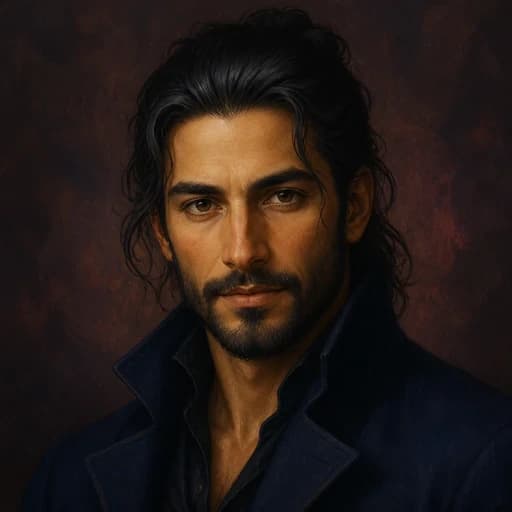
Mysterious Deep Storyteller
At midnight, the locked door opened by itself, and a voice from the darkness called his name.
Create a Calm Deep Narrator AI voiceover in three simple steps
Step 1
Type or paste any text you want Calm Deep Narrator to speak
Step 2
Click Generate to hear your text brought to life in the selected voice
Step 3
Open the full Text to Speech workspace with Calm Deep Narrator ready to select
Explore voices across more than 200 languages and accents for ads audiobooks podcasts intimate audio and character content.
Natural emotional voices with precise control of delivery pauses breath and character texture.


Natural conversation and show production
Long-form narration and character performance
Dialogue sound effects and music
Close performance and spatial sound
Character voices and emotional performance
Clear persuasive voiceover

Describe an idea in natural language or upload a novel script or PDF. AhaNow handles adaptation voice generation and mixing.
Upload a clear recording to reproduce tone rhythm and delivery details and quickly create a custom voice for podcasts video and multilingual content.
Describe age accent texture delivery and emotion to generate an auditionable brand or character voice from scratch.
Change pitch age gender and character texture while preserving the original rhythm and emotion for animation games video and interactive content.
Describe a scene mood or purpose to create a soundtrack song or loop.
Describe an action material and space to get auditionable sound effects in seconds.
Search by scene and sound type then preview and add sounds directly to your work.
Dub videos into multiple languages or split finished audio into editable individual tracks.
Upload a video to identify speakers and dub it into multiple languages while preserving each speaker’s delivery rhythm and identity.
Upload a song video or finished mix then separate vocals music and background sound into individual tracks for editing mixing or remixing.
See how creators use the Calm Deep Narrator style for a cinematic narration opening, trailers and long-form narration, and other original projects
★★★★★
“The Calm Deep Narrator style gives my a cinematic narration opening a deep, resonant, and controlled opening without much cleanup”
Maya R. · Video editor
Answers about creating deep voiceovers for narration, trailers, documentaries, podcasts, and dramatic scenes
Paste a narration or trailer script, choose a deep voice, and preview the first image-setting line. Short paragraphs and deliberate punctuation help the resonance remain clear.
Choose a calm narrator for documentaries, a cinematic voice for trailers, a warm style for stories, or a dramatic option for characters and intense scenes.
Use concrete words, avoid overly long sentences, and leave space between important images. Preview the lowest-register lines before generating the full track.
Yes. Test the opening image, a transition, and the final line separately so the voice has weight while the story remains intelligible.
Start free. Compare models and voices then generate and refine your voiceover in one workspace.


